Resize JPG, PNG and WEBP images online without losing quality. Fast, secure and 100% free image resizer tool.
✅ 100% Free
🚫 No Watermark
⭐ High Quality
🔒 Secure & Private
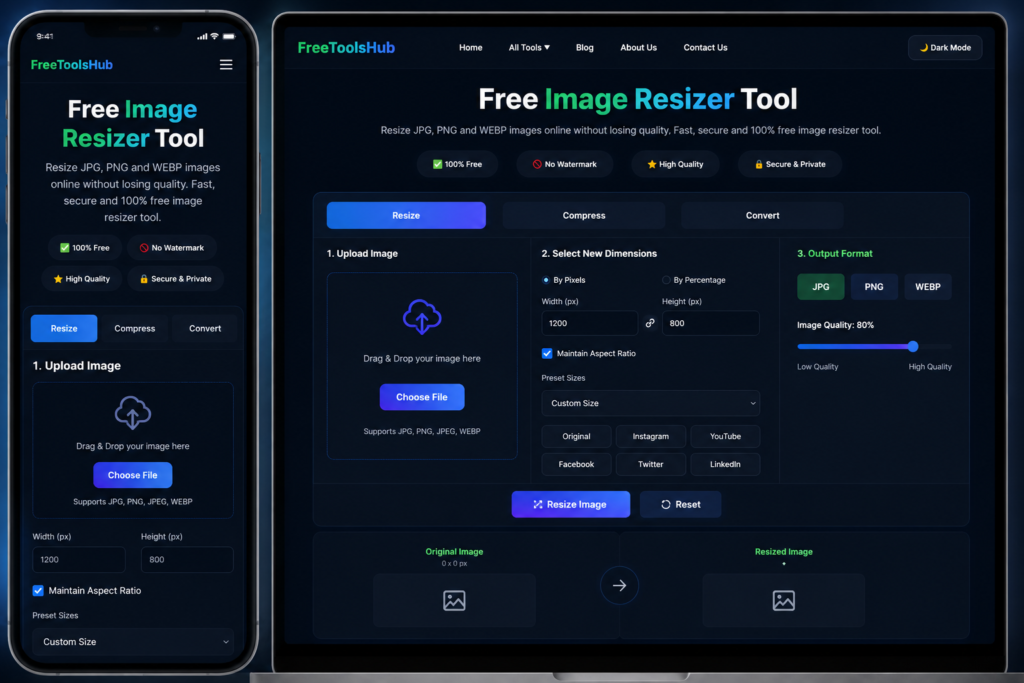
1. Upload Image
☁️
Drag & Drop your image here
Supports JPG, PNG, JPEG, WEBP
3. Output Format
Original Image
0 × 0 px
Resized Image
1200 × 800 px
File Size: 0 KBFormat: JPG
⚡
Fast & Easy
Resize images in seconds
🛡️
High Quality
Maintain image quality
🎁
100% Free
No hidden charges
🔒
Privacy Protected
Your images stay private
Why Use Our Image Resizer Tool?
Our free image resizer tool helps you resize images online quickly and easily.
You can resize JPG, PNG, WEBP and other formats without losing quality.
Perfect for websites, social media, ecommerce and documents.
✅ Resize images to exact width and height
✅ Maintain aspect ratio automatically
✅ Compress images without quality loss
✅ Convert image formats instantly
✅ 100% Free and secure
✅ Works on mobile and desktop
Frequently Asked Questions
1. Is this image resizer tool free to use?
Yes, this tool is completely free for everyone.
2. Which image formats are supported?
JPG, PNG, JPEG and WEBP formats are supported.
3. Will resizing reduce image quality?
No, our smart resizing keeps image quality high.
4. Can I use it on mobile?
Yes, the tool is fully mobile responsive.
5. Is my data secure?
Yes, your images are processed securely in browser.
# Free Image Resizer Tool Online
Our Free Image Resizer Tool helps users resize images online quickly and easily without losing quality. This online image resizing tool supports JPG, PNG, JPEG, and WEBP image formats. Whether you want to resize images for social media, websites, blogs, YouTube thumbnails, or online forms, this tool makes the process fast and simple.
This free online image resizer is designed for beginners and professionals. You can upload an image, enter custom width and height, choose image quality, and download the resized image instantly. No software installation is required because the tool works directly in your browser.
## Why Use Our Free Image Resizer Tool?
There are many benefits of using this image resizing tool. It is fast, secure, mobile-friendly, and easy to use. The tool helps reduce image size while maintaining image quality. You can resize photos for Instagram posts, Facebook covers, YouTube thumbnails, LinkedIn posts, and websites.
Features of this tool include:
– Resize images online free
– Supports JPG, PNG, JPEG, and WEBP
– No watermark on images
– Fast image processing
– Mobile and desktop friendly
– Simple user interface
– Secure browser-based processing
## Resize Images for Social Media
Social media platforms require specific image dimensions. With our tool, you can quickly resize images for different platforms.
### Instagram Image Size
Resize images to perfect Instagram dimensions for better quality posts.
### YouTube Thumbnail Size
Create professional YouTube thumbnails using custom image sizes.
### Facebook Cover Resize
Resize cover photos for Facebook pages and profiles.
### LinkedIn Image Resize
Optimize business and marketing images for LinkedIn.
## How to Use This Tool
Using this image resizer tool is very easy.
### Step 1
Upload your image from your mobile or computer.
### Step 2
Enter custom width and height or select preset sizes.
### Step 3
Choose output format like JPG, PNG, or WEBP.
### Step 4
Click the resize button and download your resized image instantly.
## Supported Image Formats
This tool supports popular image formats including:
– JPG
– PNG
– JPEG
– WEBP
You can also convert images while resizing them.
## Benefits of Image Optimization
Optimized images improve website loading speed and user experience. Smaller image sizes help websites load faster and improve SEO performance in search engines like Google.
Benefits include:
– Faster website speed
– Better SEO performance
– Reduced storage size
– Better social media quality
– Improved mobile experience
## Free Online Tool for Everyone
This tool is useful for bloggers, YouTubers, students, designers, freelancers, digital marketers, and website owners. No technical knowledge is required to use this tool.
Our Free Image Resizer Tool is completely free and works on all devices including Android phones, iPhones, tablets, laptops, and desktop computers.
🔥 Free Online Tools
Explore more free tools to make your work faster and easier: